 Matcha
Matcha limit orders - Price control and fill conditions
Last updated:
Matcha limit orders fill when a taker accepts the signed exchange rate and settles an eligible order before expiry. A token price touching your target does not establish that the whole order will execute. Available liquidity, your wallet's sell-token balance and allowance, and the taker's transaction costs all affect execution. A fill may cover only part of the order. The remainder stays open until someone fills it, you cancel it, or its expiry arrives.
Bottom line: A price touch can leave a Matcha limit order open when takers cannot profitably fill its remaining quantity.
Trading now or waiting for a fixed exchange rate
A market swap requests execution using an available quote, while a classic limit order offers a fixed token exchange rate to potential takers. A completed market swap exchanges the tokens through settlement. Creating the signed limit order leaves them available in your wallet while the offer waits for a fill. The maker creates that offer; the taker accepts it and submits the settlement transaction.
Matcha's Advanced stop-loss and take-profit orders trigger market swaps when a target price is reached. Their trigger prices do not guarantee the eventual execution price.
Executable liquidity behind a touched price
A displayed token price describes a market observation, while filling an order requires a trade that can actually exchange the specified quantities at the signed rate. A last-trade price establishes what a previous trade achieved. It does not establish how much liquidity remains available at that level. Another price feed can also describe a different market. Your order exchanges one selected token for another, so both sides of that pair affect its economics. A brief chart movement alone cannot establish that the full quantity has become executable.
Order size matters alongside price. A taker may find enough liquidity to execute part of the offer, with insufficient liquidity for the remainder. Thin liquidity can therefore leave an order open after a visible price touch. Waiting longer gives it more opportunities to trade, without supplying the missing liquidity.
Taker economics and the cost of filling
A limit-order fill creates a transaction cost that influences whether accepting the offered exchange is worthwhile. In the classic Matcha limit-order flow, the taker pays the gas for the fill. Arbitrage bots compare the trade's potential return with its execution expenses. An order can remain unattractive after its displayed target has been reached. Small quantities can be particularly difficult to fill when the network cost consumes too much of the available trading margin.
Order creation and trading fees are separate costs. Matcha's limit-order fee schedule lists a built-in fee of 0.02% for stablecoin-to-stablecoin pairs and 0.25% for other supported pairs. The order review's fee and receive amount matter alongside the price setting. Signing an off-chain order does not itself consume network gas, although a required token approval and manual cancellation do. Gasless swaps through Matcha Auto have a separate quoting model.
Wallet balances and spending permission
An open limit order needs spendable sell tokens and the appropriate allowance when settlement occurs. An allowance gives the relevant contract permission to transfer that token within its approved spending limit. Having the tokens when signing the order does not establish that they remain available later. A transfer or another completed trade can reduce the balance while the signed offer remains outstanding. In the 0x-based flow, insufficient balance or allowance prevents a fill that requires more than the available amount. Approval also does not deposit the tokens into an exchange account.
Token compatibility belongs to the selected order's execution path. Classic 0x limit orders exchange ERC-20 tokens; native coins require a compatible wrapped form for that path. Matcha's swap coverage does not establish that every network and pair offers identical limit-order functionality.
The expiry window that bounds the wait
Expiry ends an order's eligibility to fill; it does not specify when execution will happen. Matcha's limit-order entry form supports custom expiry dates up to 365 days after creation. Its listed duration presets include one hour, one day, seven days, 30 days, and 365 days. The selected expiry governs that particular order. A longer window keeps its terms available for longer, including after circumstances change. Expiry requires no separate cancellation transaction or cancellation gas payment.
Partial execution and the remaining quantity
Partial fills settle a portion of the signed order while leaving its unfilled quantity available under the remaining terms. The executed portion has already exchanged tokens; it is not a pending estimate. Later fills use the order's fixed exchange relationship, and the remainder stays subject to its expiry and validity requirements. The order can remain open even though some buy tokens have already arrived.
Cancellation and expiry stop future fills of the remainder. They do not reverse the token exchanges that have already settled.
A reduced wallet balance can affect Matcha's representation of an order's available quantity. The displayed change alone does not establish that tokens traded. Actual fill records distinguish a settled portion from an offer that has simply become less fillable.
Settlement records behind a completed trade
A completed fill has an on-chain settlement record identifying the order and the quantities exchanged. A 0x Protocol v4 limit-order fill emits a LimitOrderFilled event. That event records the maker, taker, token amounts, and order hash. The hash ties the execution to its signed offer. An order-creation success message establishes creation, while settled fills establish execution. Matcha's Trade History groups open orders by network, and completed orders move into its completed history. The relevant blockchain's transaction record provides a separate execution record.
Cancellation before replacement
Cancellation invalidates an order's unfilled portion through an on-chain transaction. It has its own network cost, even though creating the off-chain offer did not consume gas.
A cancellation request can remain pending before the blockchain includes it. During that interval, the order may still be fillable. Clicking the cancellation control or approving the wallet request does not establish that cancellation has taken effect.
Confirmed cancellation stops later fills of that order. An earlier settled portion remains in the wallet's trading history. The remaining order quantity is therefore the relevant amount when considering a replacement; copying the original full quantity can create a larger outstanding offer than intended.
Matcha also supports cancelling selected orders or all open orders for the same token pair. That broader action affects more offers than cancelling a single order. Its scope matters when several independent price targets remain useful.
A disabled cancellation control can be a browser problem. Try another browser to see whether the cancellation control becomes available.
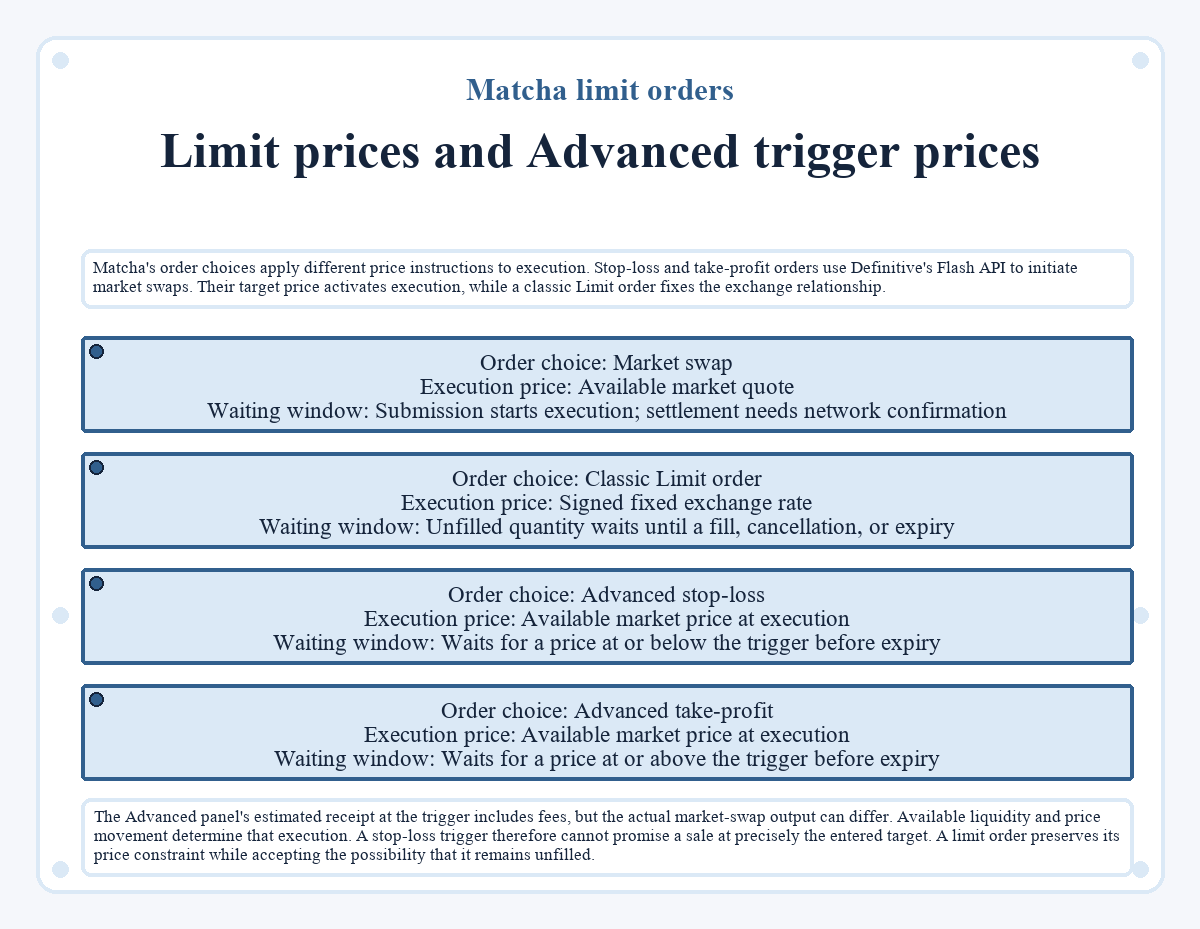
Limit prices and Advanced trigger prices
Matcha's order choices apply different price instructions to execution. Stop-loss and take-profit orders use Definitive's Flash API to initiate market swaps. Their target price activates execution, while a classic Limit order fixes the exchange relationship.
| Order choice | Execution price | Waiting window |
|---|---|---|
| Market swap | Available market quote | Submission starts execution; settlement needs network confirmation |
| Classic Limit order | Signed fixed exchange rate | Unfilled quantity waits until a fill, cancellation, or expiry |
| Advanced stop-loss | Available market price at execution | Waits for a price at or below the trigger before expiry |
| Advanced take-profit | Available market price at execution | Waits for a price at or above the trigger before expiry |
The Advanced panel's estimated receipt at the trigger includes fees, but the actual market-swap output can differ. Available liquidity and price movement determine that execution. A stop-loss trigger therefore cannot promise a sale at precisely the entered target. A limit order preserves its price constraint while accepting the possibility that it remains unfilled.
Limit prices and Advanced trigger prices
Matcha's order choices apply different price instructions to execution. Stop-loss and take-profit orders use Definitive's Flash API to initiate market swaps. Their target price activates execution, while a classic Limit order fixes the exchange relationship.
- Order choice: Market swap Execution price: Available market quote Waiting window: Submission starts execution; settlement needs network confirmation
- Order choice: Classic Limit order Execution price: Signed fixed exchange rate Waiting window: Unfilled quantity waits until a fill, cancellation, or expiry
- Order choice: Advanced stop-loss Execution price: Available market price at execution Waiting window: Waits for a price at or below the trigger before expiry
- Order choice: Advanced take-profit Execution price: Available market price at execution Waiting window: Waits for a price at or above the trigger before expiry
The Advanced panel's estimated receipt at the trigger includes fees, but the actual market-swap output can differ. Available liquidity and price movement determine that execution. A stop-loss trigger therefore cannot promise a sale at precisely the entered target. A limit order preserves its price constraint while accepting the possibility that it remains unfilled.
The exchange relationship in the order review
The sell amount and buy amount describe the proposed token exchange, so changing either can alter the price relationship shown in the Limit panel. Matcha also offers percentage-based price adjustments and a control that locks the sell amount while the buy amount changes. Those controls configure the offer; they do not forecast execution. Switching the buy and sell tokens changes the trade's direction, making the resulting amounts and rate relevant to a different exchange.
The reviewed order needs to express the amount you intend to spend and the receipt you accept after the displayed fee. A correct price setting keeps those terms intact; it cannot make a willing taker or sufficient liquidity appear.
Quick answers about Matcha limit orders
Will closing the browser stop an open Matcha limit order?
Closing the browser does not cancel an already published classic limit order. Its signed terms exist off-chain independently of the browser session, and a taker can submit a fill while the order remains valid. Cancellation or expiry ends its eligibility; keeping a trading tab open is not an execution requirement.
Must I approve the token that I expect to receive?
The maker's spending allowance concerns the token being sold in the classic 0x limit-order flow. Receiving the buy token does not itself require permission to spend that token. An allowance on another asset cannot fund this order, and an approval on another blockchain does not replace the sell token's required permission.
Does placing another limit order reserve a separate token balance?
Classic signed limit orders do not reserve separate balances for each open offer. Several orders can depend on the same sell tokens remaining in the wallet. A fill of one order reduces the balance available to the others. Multiple open offers therefore do not establish that their combined quantities are independently funded.
What happens if I restore a revoked token allowance?
Restoring the required allowance can make an outstanding classic order fillable again if its other conditions still hold. Revocation removes spending permission without cancelling the signed offer itself. The order must remain unexpired, uncancelled, and funded. Restoring permission also affects other valid orders that rely on the same token and spender.
Can another wallet cancel my limit order?
A 0x Protocol v4 cancellation requires the maker or an authorized registered order signer. An unrelated wallet cannot cancel the order simply because it knows the order's details. The cancellation permission differs from the permission to take an open offer, which can allow a taker to execute its signed trading terms.
Why is there no creation transaction in my wallet history?
Creating a classic limit order signs an off-chain message, so creation does not produce its own blockchain transaction. A separate approval may appear in wallet history if spending permission was required. A later fill or manual cancellation creates an on-chain record. The absence of a creation transaction does not establish that the order failed to publish.
Is a limit-order signature valid on another blockchain?
A 0x typed-data order signature binds the offer to its chain and verifying contract. It does not authorize the same order on another blockchain merely because the wallet address or token ticker matches. Trading there requires an order for that environment, with the relevant token balance and permission on that chain.